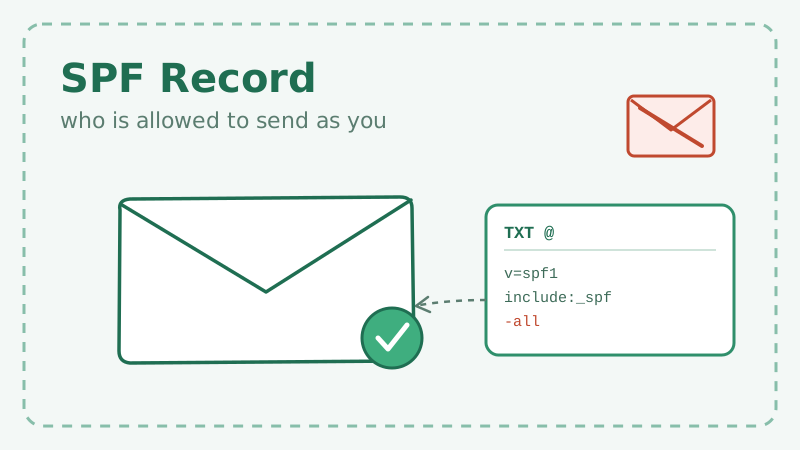
Sender Policy Framework, or SPF, is the oldest of the three email authentication standards, and it is still the first thing a receiving server checks when your message arrives. In plain terms, an SPF record is a public list of the mail servers you have authorized to send email on behalf of your domain. If a message shows up from a server that is not on the list, the receiver knows something is off.
Get SPF right and you make it far harder for anyone to spoof your domain and far easier for Gmail, Outlook, and Yahoo to trust your mail. Get it wrong, and you can quietly send your own legitimate campaigns straight to spam. This guide walks through what SPF actually does, how to build a record that passes, and the common mistakes that break it.
What an SPF record actually is
An SPF record is a single line of text published in your domain’s DNS as a TXT record. It always begins with v=spf1 and ends with an enforcement rule. Everything in between is a set of mechanisms that say “these servers are allowed to send.”
A basic record looks like this:
v=spf1 include:_spf.google.com include:sendgrid.net -allReading left to right: the domain trusts Google Workspace to send its mail, trusts SendGrid to send its mail, and anything else should be treated as unauthorized (-all). When a receiving server gets a message claiming to be from your domain, it looks up this record, checks whether the sending server is covered by one of the mechanisms, and returns a pass or fail.
SPF authenticates the envelope sender (the Return-Path), not the friendly “From” address your recipients see. That distinction matters, and it is exactly why SPF alone is not enough. More on that later.
Why SPF is worth setting up today
Three reasons stand out.
First, deliverability. The major mailbox providers now expect authentication as a baseline. Since Google and Yahoo tightened their bulk sender rules, a domain with no SPF (or a broken one) is far more likely to land in spam or be rejected outright. SPF is one of the cheapest, highest-leverage fixes available.
Second, anti-spoofing. Without SPF, anyone can send mail that appears to come from your domain. That opens the door to phishing attacks against your customers and partners, and every one of those attacks chips away at your sender reputation even though you never pressed send.
Third, it is the foundation for DMARC. You cannot run a meaningful DMARC policy without at least one of SPF or DKIM in place and aligned. If email authentication were a house, SPF is part of the foundation, not the roof.
How to build your SPF record step by step
Step 1: Inventory every service that sends as your domain
This is the step people skip, and it is the one that causes broken records. Before you write anything, list every system that sends email using your domain. That usually includes:
- Your mailbox provider (Google Workspace, Microsoft 365)
- Your marketing or newsletter platform
- Your transactional email service (password resets, receipts)
- Your CRM or helpdesk
- Any cold outreach or sales sequencing tool
Miss one, and mail from that service will start failing SPF the moment you switch to strict enforcement.
Step 2: Collect each provider’s include or IP
Every reputable sending service publishes the SPF mechanism you should add. Most give you an include: value, such as include:_spf.google.com or include:mailgun.org. Some give you specific IP addresses, which you add with ip4: or ip6:. Copy these exactly from each provider’s documentation rather than guessing.
Step 3: Assemble the record
Combine everything into a single TXT record. You are only allowed one SPF record per domain, so all mechanisms live on one line:
v=spf1 include:_spf.google.com include:mailgun.org include:sendgrid.net ~allPublishing two separate v=spf1 records is a permanent error that causes SPF to fail everywhere, so always merge into one.
Step 4: Choose your enforcement mode
The final mechanism decides what happens to mail that is not covered by your record:
-all(hard fail): unauthorized mail should be rejected. The strongest and the goal you want to reach.~all(soft fail): unauthorized mail is accepted but marked suspicious. A safe place to start while you confirm every legitimate sender is listed.?all(neutral): no opinion. Offers almost no protection and should be avoided beyond brief testing.
A sensible rollout is to launch with ~all, watch for a week or two to confirm nothing legitimate is failing, then tighten to -all.
Step 5: Publish and verify
Add the record in your DNS provider’s dashboard as a TXT record on the root domain, wait for propagation, then test it with an SPF checker or by sending a message to a seed inbox and reading the authentication results in the headers.
The mistake that breaks more SPF records than any other: the 10-lookup limit
SPF has a hard rule that catches almost everyone eventually. A single SPF evaluation is allowed a maximum of 10 DNS lookups. Every include:, a, mx, ptr, and exists mechanism counts against that budget, and nested includes count too. If your record forces more than 10 lookups, SPF returns a permerror and mail can start failing even though your record looks correct.
This sneaks up on fast-growing teams. You add a newsletter tool, a helpdesk, a webinar platform, and a sales sequencer, and each include: quietly expands into several nested lookups. Suddenly you are over budget.
Ways to stay under the limit:
- Remove services you no longer use. Old
include:entries are the most common source of waste. - Replace
include:with directip4:entries where a provider publishes stable IPs, since IP mechanisms cost zero lookups. - Consider SPF flattening, which resolves your includes into a fixed IP list, but only if you have a process to keep it updated when providers change their infrastructure.
Audit your record whenever you add a new sending tool, not once a year.
SPF is necessary but not sufficient
Here is the limitation that trips people up. SPF checks the envelope sender, not the visible “From” address. A spoofer can pass SPF using their own domain in the Return-Path while still displaying your brand in the “From” field that recipients actually read. SPF also breaks on straightforward email forwarding, because the forwarding server becomes the new sender and is not in your record.
That is why SPF is one leg of a three-legged stool:
- SPF authorizes sending servers.
- DKIM cryptographically signs the message so tampering is detectable and survives forwarding.
- DMARC ties SPF and DKIM to the visible “From” domain and tells receivers what to do on failure.
Run all three together and you get real protection. Run SPF alone and you have closed one door while leaving another wide open. If you have not tackled the policy side yet, our companion piece on how DMARC policy affects deliverability picks up exactly where this guide leaves off.
Where list quality fits into all of this
Authentication earns you the right to be trusted, but reputation is what keeps you trusted, and reputation is driven heavily by how your recipients react to your mail. A perfect SPF record cannot save you if you are blasting a list full of invalid, risky, or catch-all addresses. Hard bounces and spam complaints tell mailbox providers your mail is unwanted, and that reputation hit follows your authenticated domain everywhere.
This is where verifying your list before you send pays off. Running your contacts through an email validation tool like Scrubby removes the invalid and risky addresses that drag down deliverability, including the tricky catch-all addresses that most verifiers simply guess on. Clean data plus solid authentication is the combination that actually lands you in the inbox. And if your outreach relies on booking meetings rather than newsletters, pairing a validated list with a calendar-first tool like Kali keeps your sending domain healthy while your reply rates climb.
The short version
SPF is a public list of who is allowed to send as your domain. Build it by inventorying every sending service, merging every mechanism into a single TXT record, and choosing an enforcement mode that you tighten from ~all to -all once you are confident. Watch the 10-lookup limit like a hawk, and remember that SPF is the starting line for authentication, not the finish. Pair it with DKIM, DMARC, and a genuinely clean list, and your legitimate mail gets the trust it deserves while spoofers get shut out.

Nick Abraham
Cold Email Expert