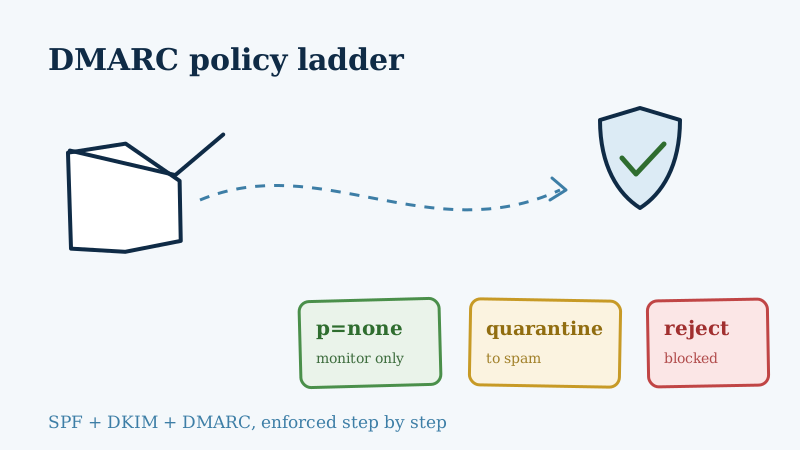
If you have set up SPF and DKIM but never touched DMARC, your domain is only half protected. DMARC is the record that tells receiving mail servers what to do when a message fails authentication. The single most important part of that record is the policy tag, written as p=, and it has three possible values: none, quarantine, and reject.
Choosing the wrong one, or leaving it at the default forever, quietly costs you inbox placement and leaves your domain open to spoofing. This guide walks through what each policy does, when to use it, and how to climb from monitoring to full enforcement without breaking your legitimate mail.
A quick refresher: what DMARC actually checks
DMARC sits on top of two older standards.
- SPF confirms that the sending server is allowed to send for your domain.
- DKIM attaches a cryptographic signature that proves the message was not altered in transit.
DMARC adds two things those standards lack. First, it requires alignment: the domain in the visible From: address must match the domain that passed SPF or DKIM, so a spammer cannot pass authentication on their own domain while spoofing yours. Second, it lets you publish a policy telling receivers how to handle mail that fails, plus a reporting address so you can see what is being sent under your name.
A minimal DMARC record lives in your DNS as a TXT record at _dmarc.yourdomain.com and looks like this:
v=DMARC1; p=none; rua=mailto:[email protected]The p= value is the lever this whole article is about.
p=none: monitor without touching delivery
p=none is monitoring mode. Mail that fails DMARC is still delivered exactly as it would be without any policy, but receivers send you aggregate reports (via the rua address) listing every source sending mail as your domain.
This is where every domain should start. The reports reveal things you almost certainly do not know: the invoicing platform that sends on your behalf, the marketing tool nobody remembered to authenticate, and the outright spoofers using your brand. You cannot safely enforce a policy until you can see all of that.
The trap with p=none is comfort. Because it never blocks anything, thousands of domains publish it and never move on. That leaves you with visibility but zero protection, which means anyone can still spoof your domain and land in your customers’ inboxes. Treat none as a two to four week diagnostic phase, not a destination.
p=quarantine: send failures to the spam folder
p=quarantine tells receivers to treat failing mail as suspicious. In practice most providers route it to the spam or junk folder rather than the inbox. The message still gets delivered somewhere, so a legitimate sender you forgot to authenticate is not lost forever, but their mail lands where few people look.
Quarantine is the natural middle step. Once your reports show that all of your real sending sources pass alignment, moving to quarantine starts protecting your domain while giving you a safety net. You can even ease into it with the percentage tag, applying the policy to a slice of traffic first:
v=DMARC1; p=quarantine; pct=25; rua=mailto:[email protected]That applies quarantine to 25 percent of failing mail and leaves the rest at the softer treatment, so you can watch the reports for collateral damage before ramping to 100.
p=reject: block failures outright
p=reject is full enforcement. Mail that fails DMARC is refused at the server and never delivered at all, not even to spam. This is the policy that actually stops spoofing and phishing that impersonates your domain, and it is the level that inbox providers increasingly expect from serious senders.
Reject is also non-negotiable if you want a BIMI logo next to your messages in Gmail and Apple Mail, since BIMI requires an enforced DMARC policy. If you are working toward that, our guide to BIMI and sender reputation picks up where this one leaves off.
The reason you do not start here is obvious once you have read the reports. Jump straight to reject and any legitimate source that is not properly aligned, including a payroll system, a support desk, or a mailing list that rewrites your address, gets silently blocked. Reach reject only after quarantine has run cleanly for a few weeks with no surprises in your reports.
The migration path in practice
The safe progression is a ladder, not a leap:
- Publish
p=noneand collect aggregate reports for two to four weeks. - Authenticate every legitimate source the reports reveal, fixing SPF includes and enabling DKIM until they all align.
- Move to
p=quarantine, optionally withpct=set low, and keep watching reports. - Ramp quarantine to 100 percent, then hold while you confirm nothing legitimate is being caught.
- Switch to
p=rejectonce the reports are clean.
Do not rush the middle. The reports between each step are the entire point, and skipping them is how companies accidentally block their own invoices.
Why authentication is only half the deliverability battle
Here is the part teams miss. A perfectly enforced DMARC policy protects your domain from impersonation, but it does nothing about the quality of the list you are sending to. You can pass SPF, DKIM, and DMARC on every message and still torch your sender reputation by blasting a list full of invalid addresses, spam traps, and catch-all domains.
Mailbox providers weigh bounce rates and spam-trap hits heavily when they decide whether your authenticated mail belongs in the inbox. That is why the strongest senders pair authentication with list hygiene. Before a campaign goes out, running the list through an email verification tool like Scrubby removes the invalid and risky addresses that would otherwise drive bounces, and Scrubby is one of the few validators that can confidently verify the catch-all and accept-all addresses most tools give up on. Clean list plus enforced DMARC is the combination that keeps you in the inbox.
If your outreach depends on booked meetings rather than newsletter opens, the same principle applies to your cold sending: authenticate the domain, then send to verified addresses. Tools like Kali lean on that clean-and-authenticated foundation to get calendar invites in front of real prospects instead of bouncing off dead inboxes.
The short version
Your DMARC policy is a three-rung ladder. p=none shows you who is sending as your domain, p=quarantine starts filing the fakes to spam, and p=reject blocks them entirely. Start at monitoring, read the reports, fix your real sources, and climb deliberately to reject. Then remember that authentication guards your identity, not your list quality, and keep that list clean so the mail you worked to authenticate actually reaches the inbox.

Nick Abraham
Cold Email Expert